Features
Everything that makes an idea land.
Narration, illustration, presenters, camera, motion, brand and language — each part engineered to carry understanding, not decorate it.
What it does
This is the actual product.
No mockups, no marketing gloss. Every screen below is ProdExplainer itself — exactly what you'll use to make your video.
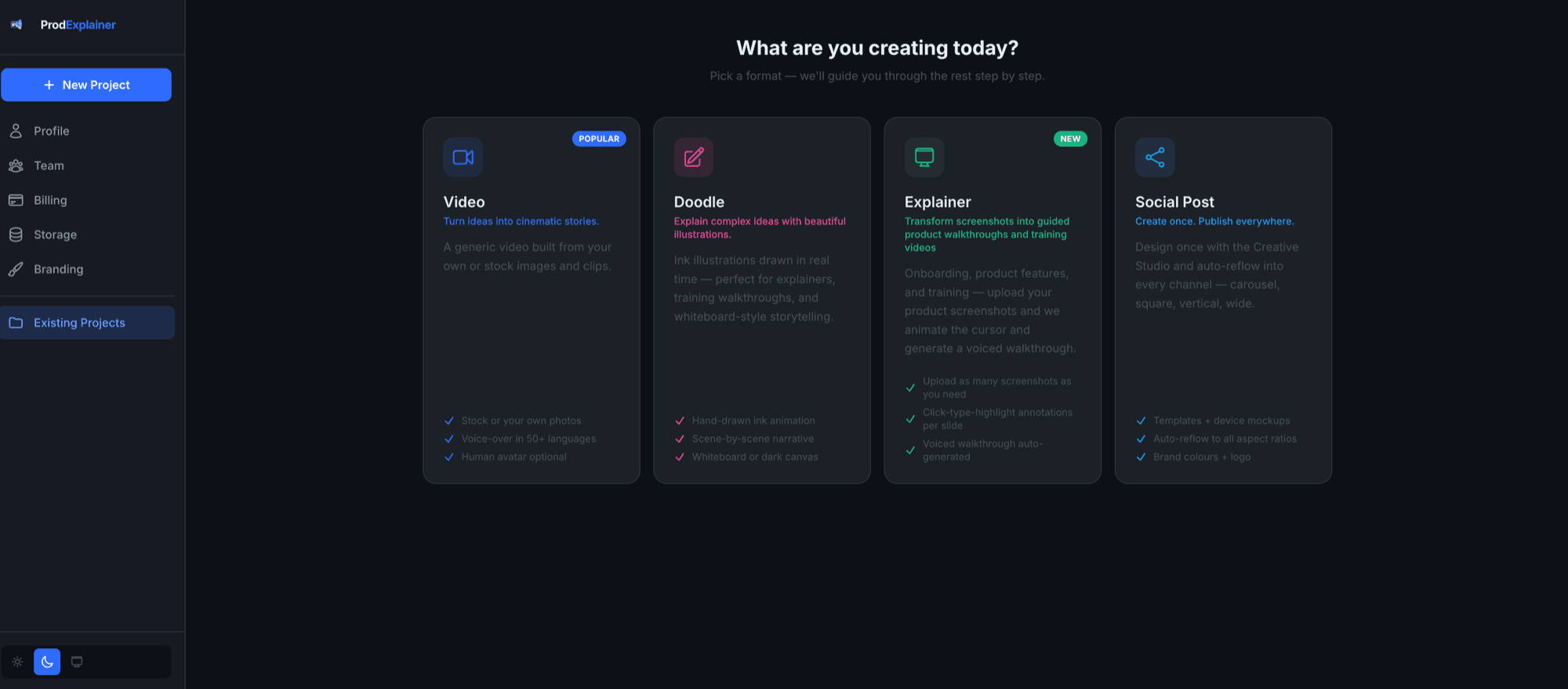
Start from the right format
Video, doodle, product explainer or social post — pick what you're making and the tool guides the rest, step by step.
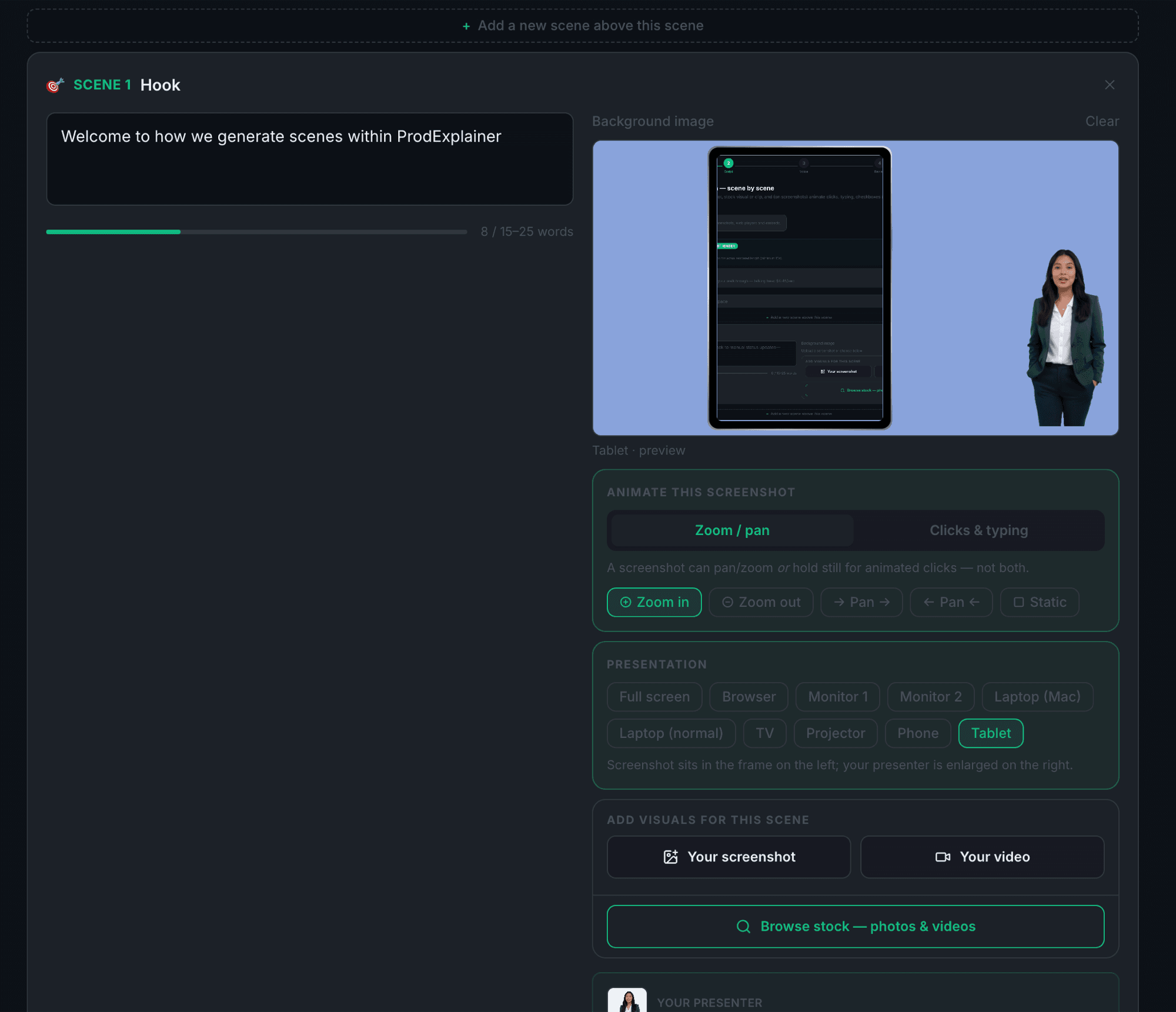
Frame a screenshot in a real device
Drop in a screenshot and it sits inside a browser, laptop, tablet, phone, TV or projector — then pans, zooms or animates clicks and typing.
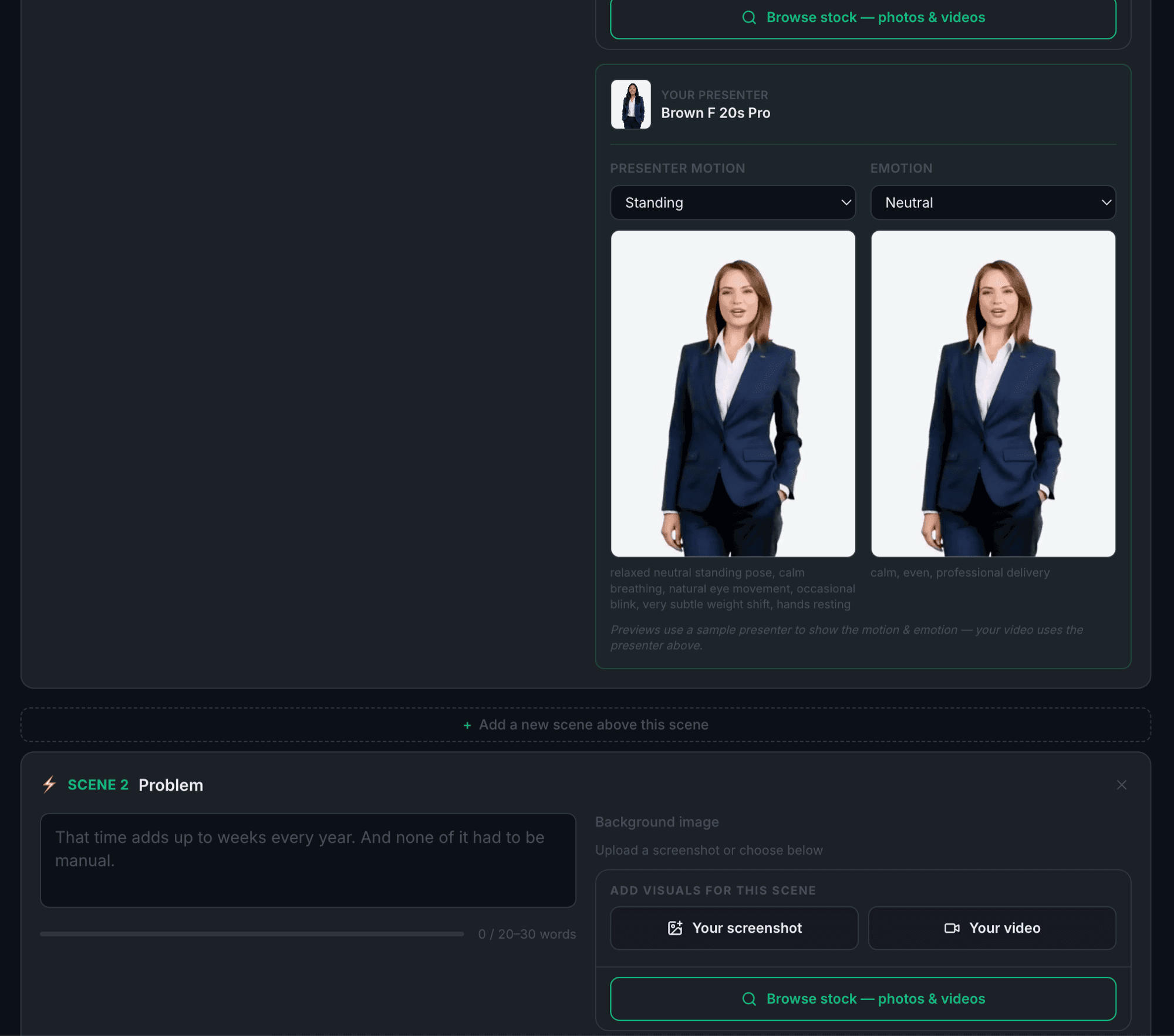
Direct the presenter's motion & emotion
Choose how your on-screen presenter moves and feels in each scene — from a calm standing pose to an emphatic gesture — with a live preview.
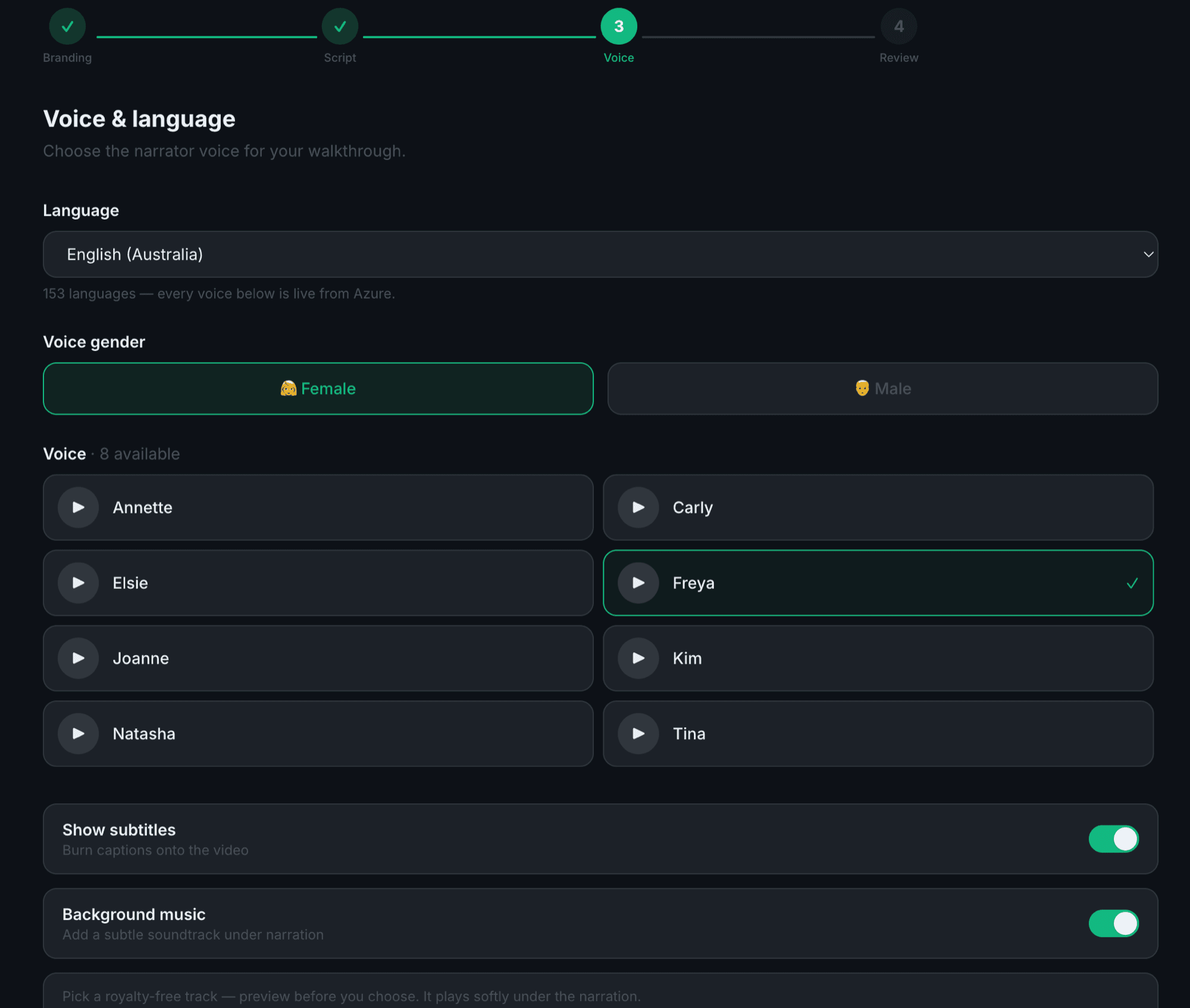
Narrate in any language, live
Real neural voices — 153 accents across 82 languages, 555 voices — streamed live from Azure. Pick a voice, preview it, done.
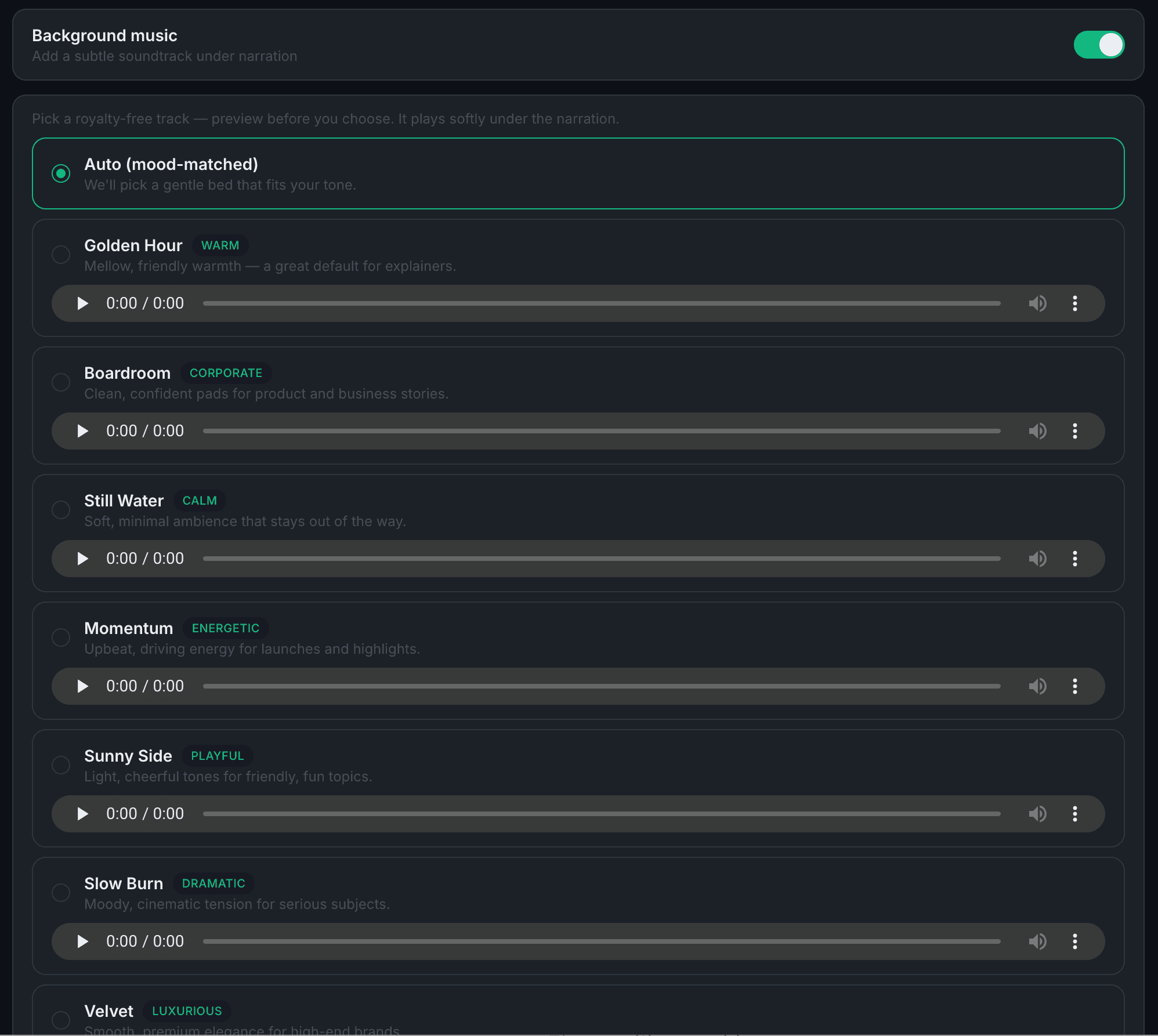
Score it with the right mood
Add a licence-free soundtrack that sits gently under the narration — auto-matched to your tone, or pick a mood yourself.
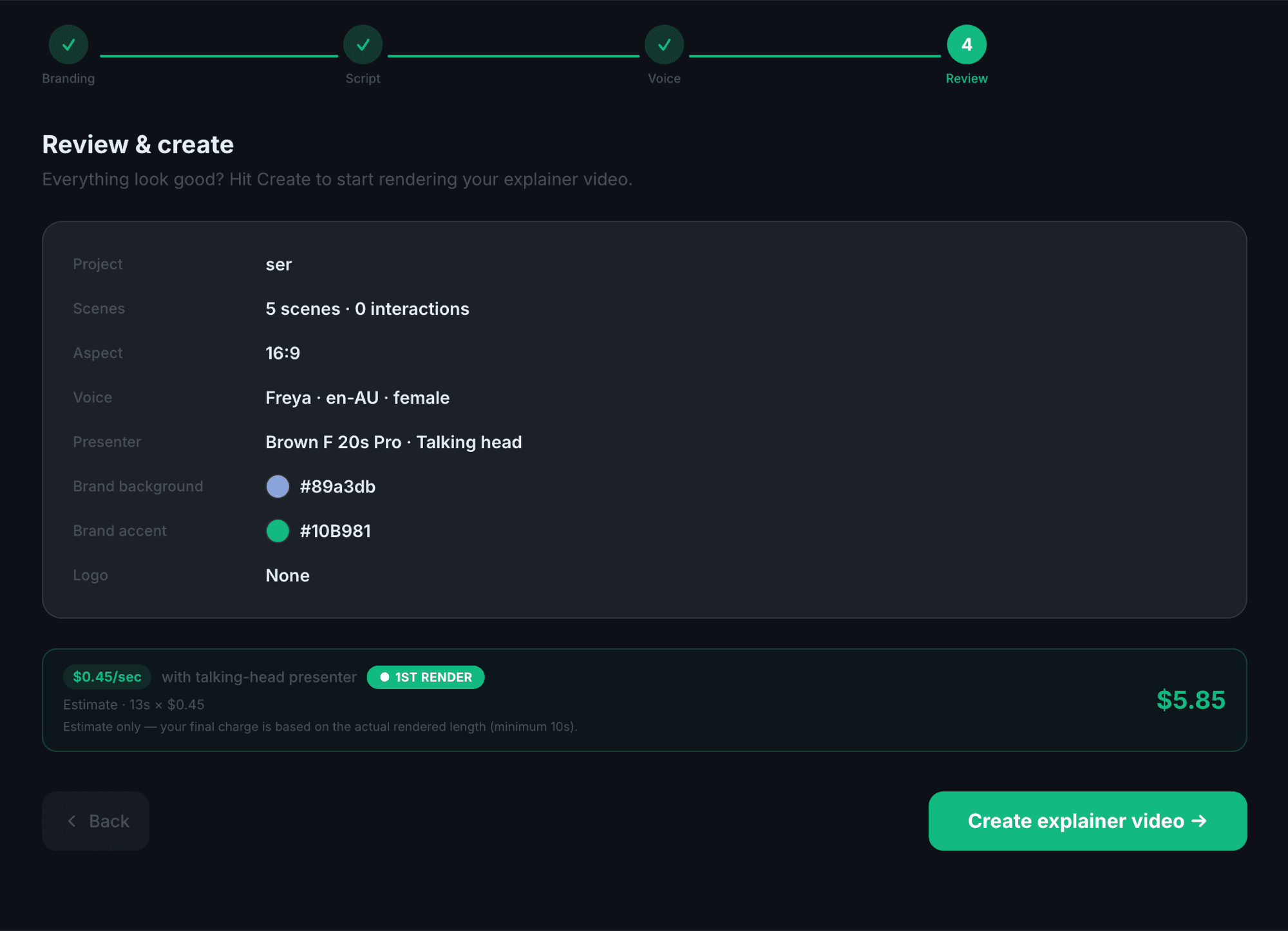
See everything, then pay once
A clear review of every choice and an honest, up-front price. Your first render is a taster — no subscription, no credits, no surprises.
Presenters, voices & sound
A whole cast, ready to explain.
Bring a real presenter on screen — cleanly cut out and placed for you — or let the doodles lead. Then pick from 555 real neural voices —153 accents across 82 languages — and a soundtrack that fits the mood. Everything here is the real thing, straight from the app.
Choose your presenter
48 presenters4 ethnicities · 2 genders · 2 ages · 3 wardrobes. Every presenter is cut out cleanly and placed for you — no green screens, no fiddling.
Pixel-accurate placement — this is exactly how African · Female · 20s appears in the rendered video, the same spot in every scene.
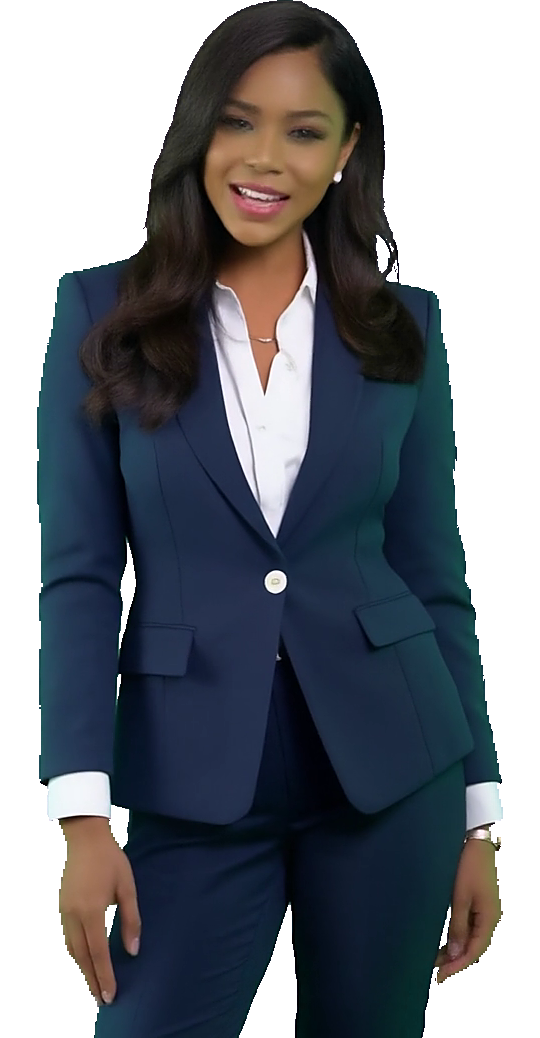
Your presenter
African · Female · 20s · Suit
Presenter motion
Calm, neutral stance — a natural default.
Emotion
Even and professional.
Previews use a sample presenter to show the motion & emotion — your video uses the presenter above.
Narration voice
Pick a language and voice — press play to hear the real thing.
153 accents across 82 languages, 555 voices — every one a real Azure neural voice, live in the app.
Soundtrack
Royalty-free tracks that play softly under the narration. Preview before you choose.
Mellow, friendly warmth — a great default for explainers.
Confident, understated — for product and business stories.
Quiet and spacious — lets the narration lead.
Forward-moving pulse — for launches and demos.
Bright and optimistic — for friendly, light topics.
Builds with intent — for a bigger reveal.
Smooth and premium — for high-end brands.
Clean and modern — for technology and science.
How it works
Idea in. Understanding out.
Five steps, start to finish — and every one below is the real app.
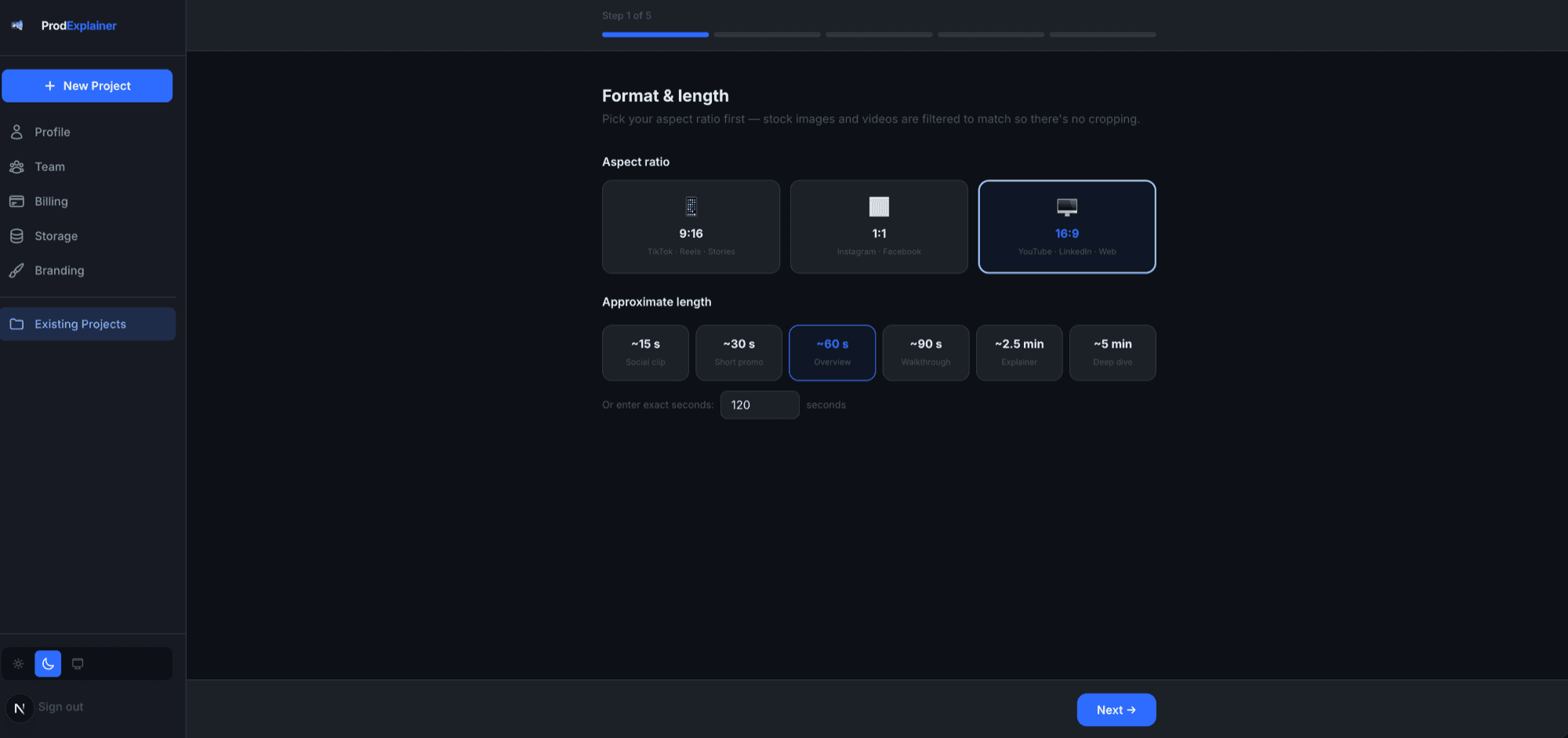
Pick a format & length
Choose your aspect ratio and a rough length — everything after adapts to fit.
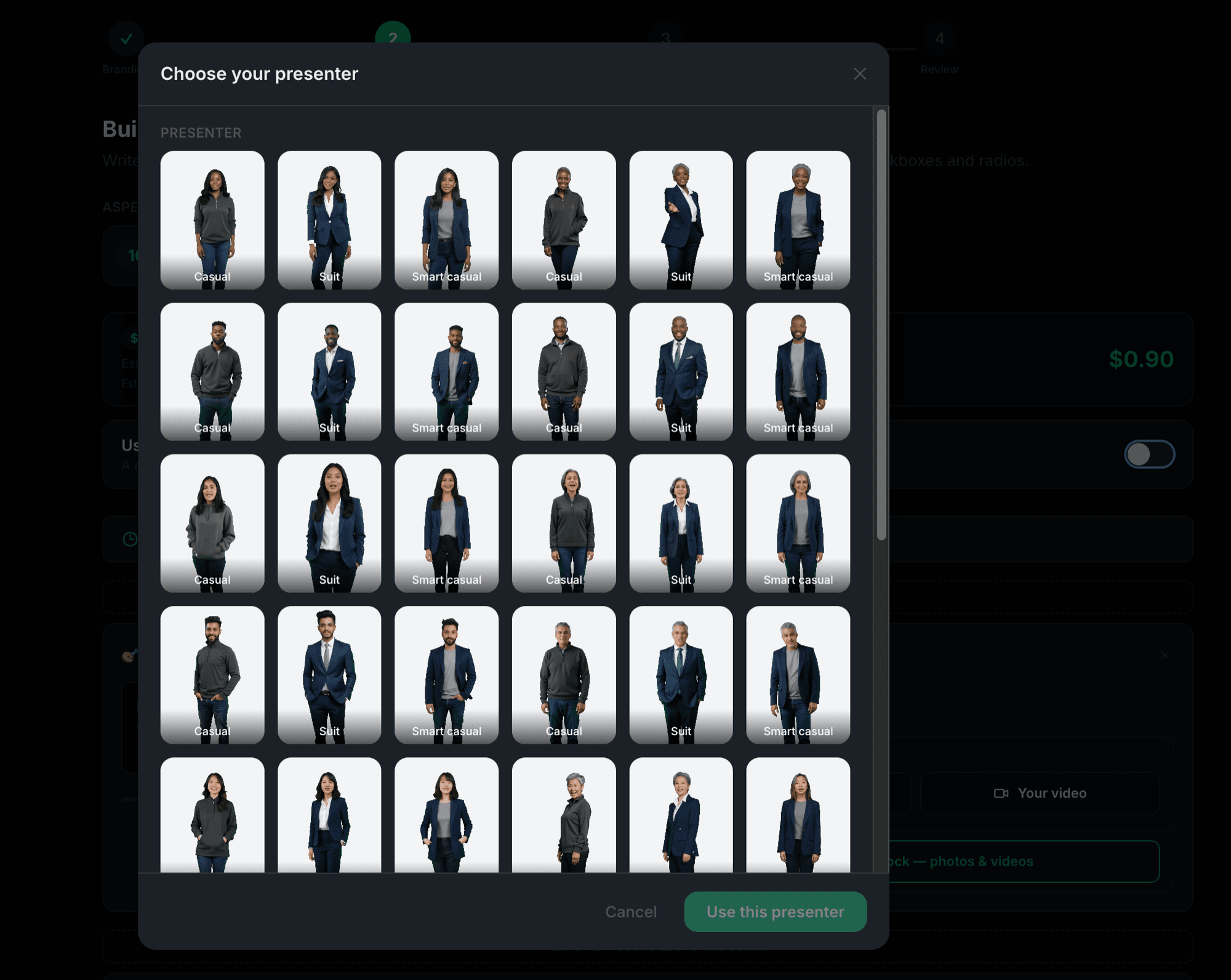
Choose a presenter
Add a real on-screen presenter from the library — or skip it and let the visuals lead.
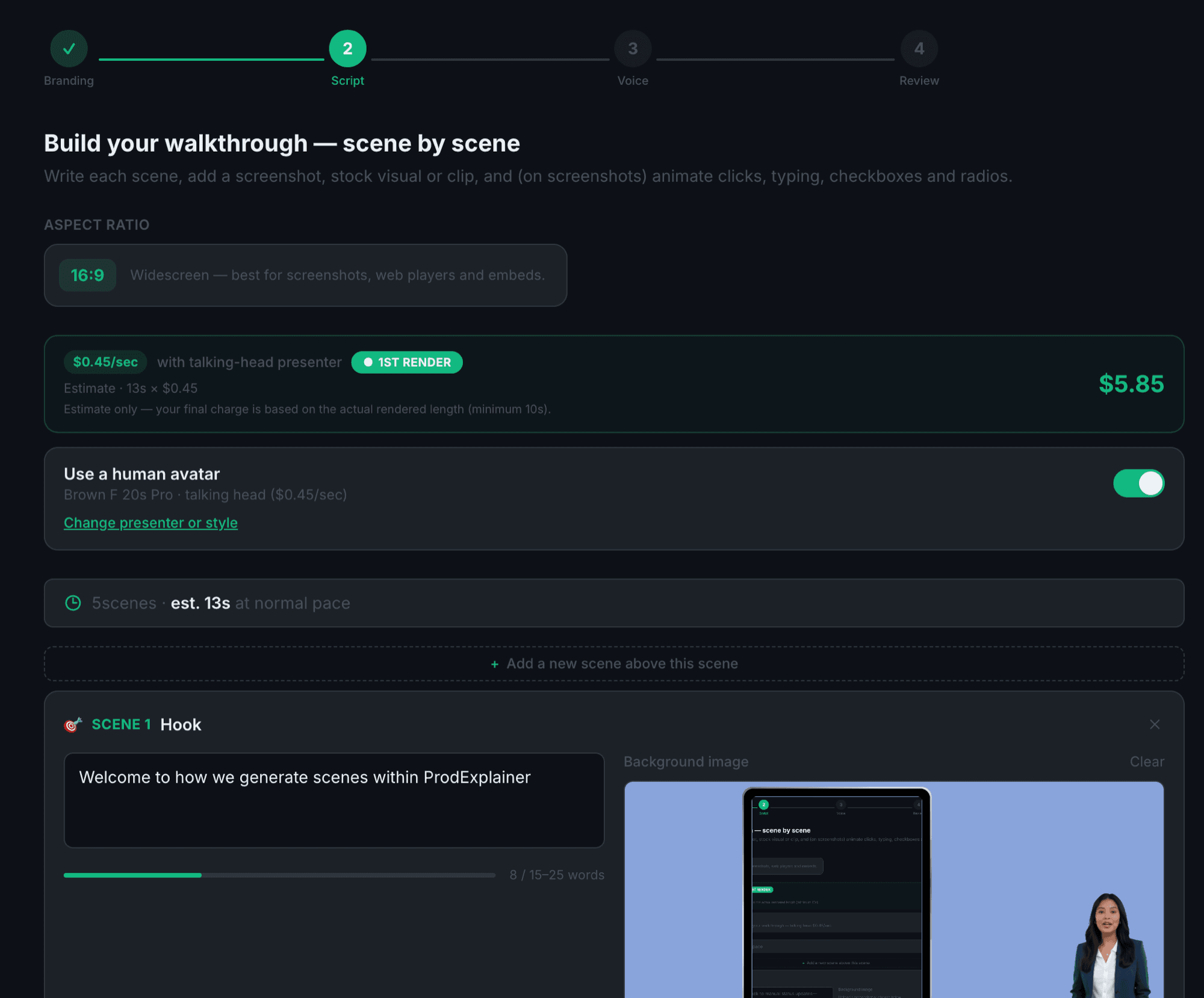
See the price up front
An honest, per-second estimate before you commit. No subscription, no credits, no surprises.
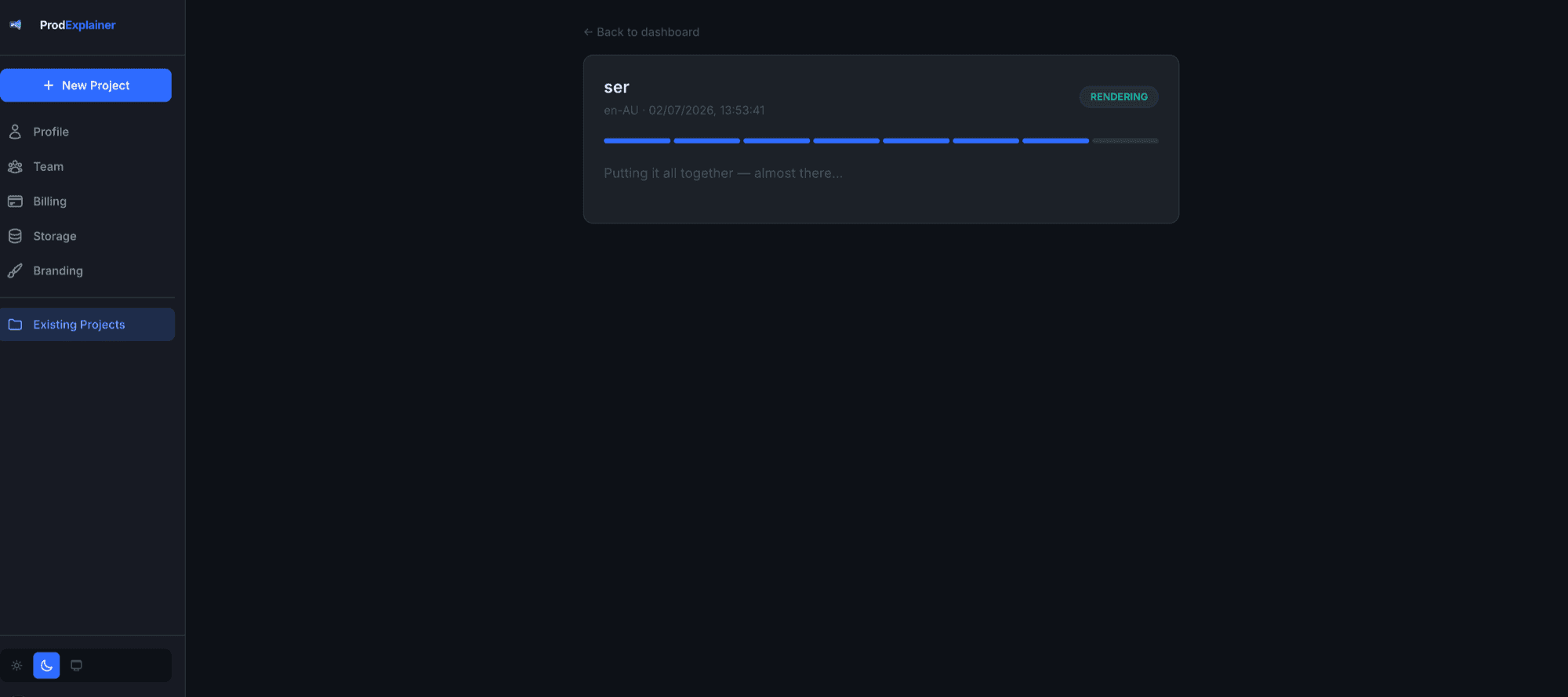
We render it
Hit create and the whole thing assembles — script, visuals, voice, presenter and music.
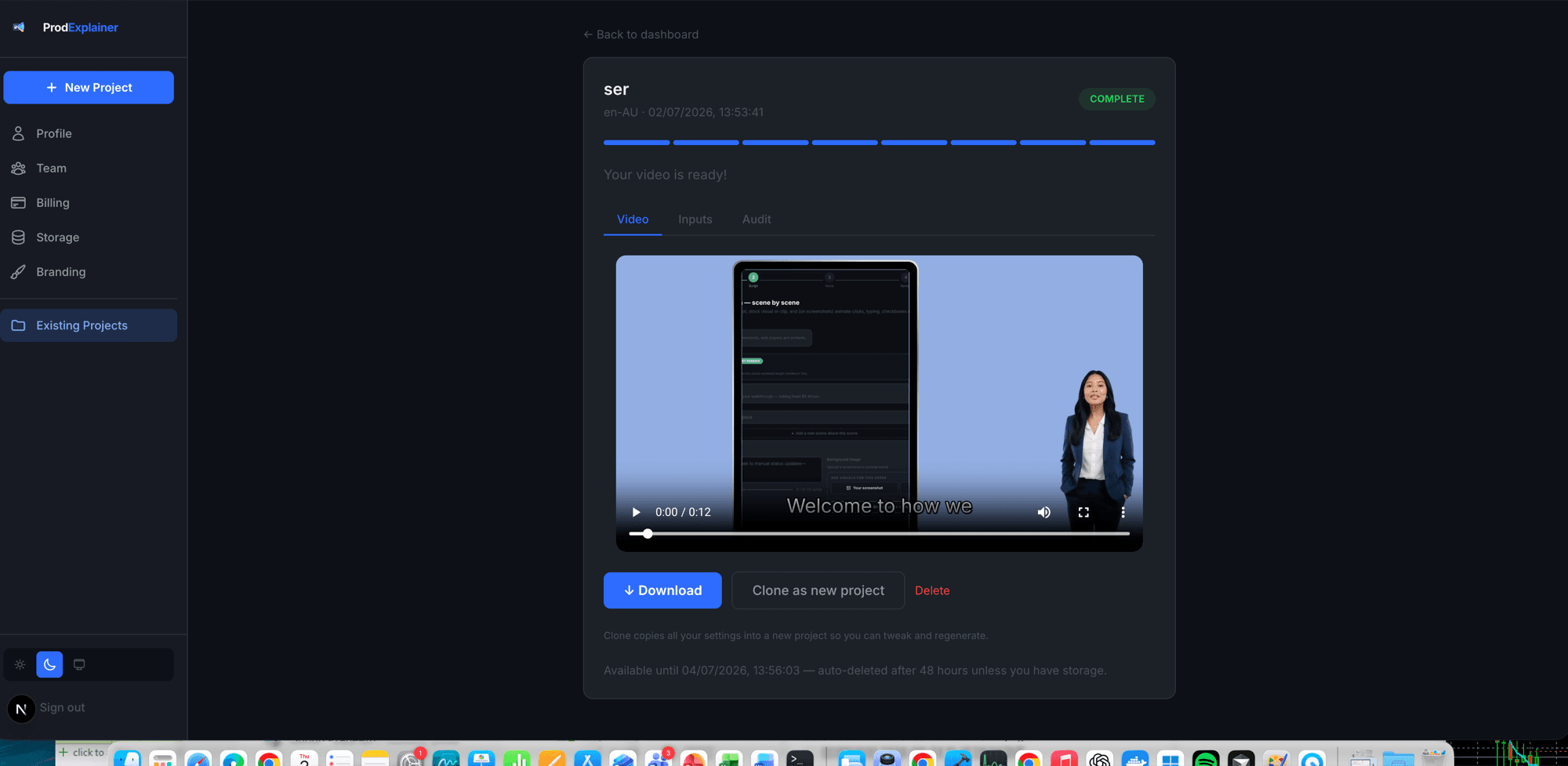
Your video's ready
Watch it, download it, or clone it into a new project to make another. It's yours to keep and sell.
Questions, answered.
Do I need any design or video skills?
No. You describe the idea; ProdExplainer drafts a script, storyboards the scenes, narrates, animates and assembles the video. You direct and refine.
Can I put a presenter on screen?
Yes. Choose from a library of presenters that are cut out cleanly and placed on screen for you — no green screen, no editing. You set each scene's motion and emotion.
How many languages can I narrate in?
Every language and accent the platform's neural voices support — currently 82 languages, 153 locales and accents, and 555 real neural voices. One story can be re-narrated and re-timed into any of them without touching the visuals.
Is my branding applied automatically?
Yes. Your colours, logo and type flow through every scene by default, so the whole video stays on-brand.
Can I make social posts too, not just video?
Yes. The built-in Creative Studio turns your screenshots and content into polished social posts using a large library of device mockups. Design once and it auto-reflows to every aspect ratio — landscape, square and vertical — then queue and publish to your channels.
Social posts, built in
One design. Every channel.
It isn't only video. The built-in Creative Studio turns your screenshots and content into polished social posts — designed once, auto-reflowed to fit wherever they're going. Pick a mockup, make it yours, publish everywhere.
Hundreds of device mockups
Drop your screenshot into a laptop, phone, tablet, TV, billboard or kiosk — a huge library of frames, ready to go.
A real design editor
Headlines, layers, typography, brand colours and backgrounds — arrange it exactly how you want, or start from a template.
Design once, reflow everywhere
One composition auto-reflows into every aspect ratio — landscape, square, vertical — so it fits each channel without cropping.
Queue & channels
Line posts up and send them to the channels that support automation, straight from the studio.
Open Creative Studio